
Your external email, inside Gmail. Without switching inboxes.
Connect POP3 and IMAP mailboxes from your domain, web hosting, Google, Outlook and other providers. POP3 for Gmail automatically imports emails into your primary Gmail inbox—no mail forwarding, no migrations, no DNS changes.
POP3 & IMAP · Google and Microsoft OAuth · Works even when Chrome is closed
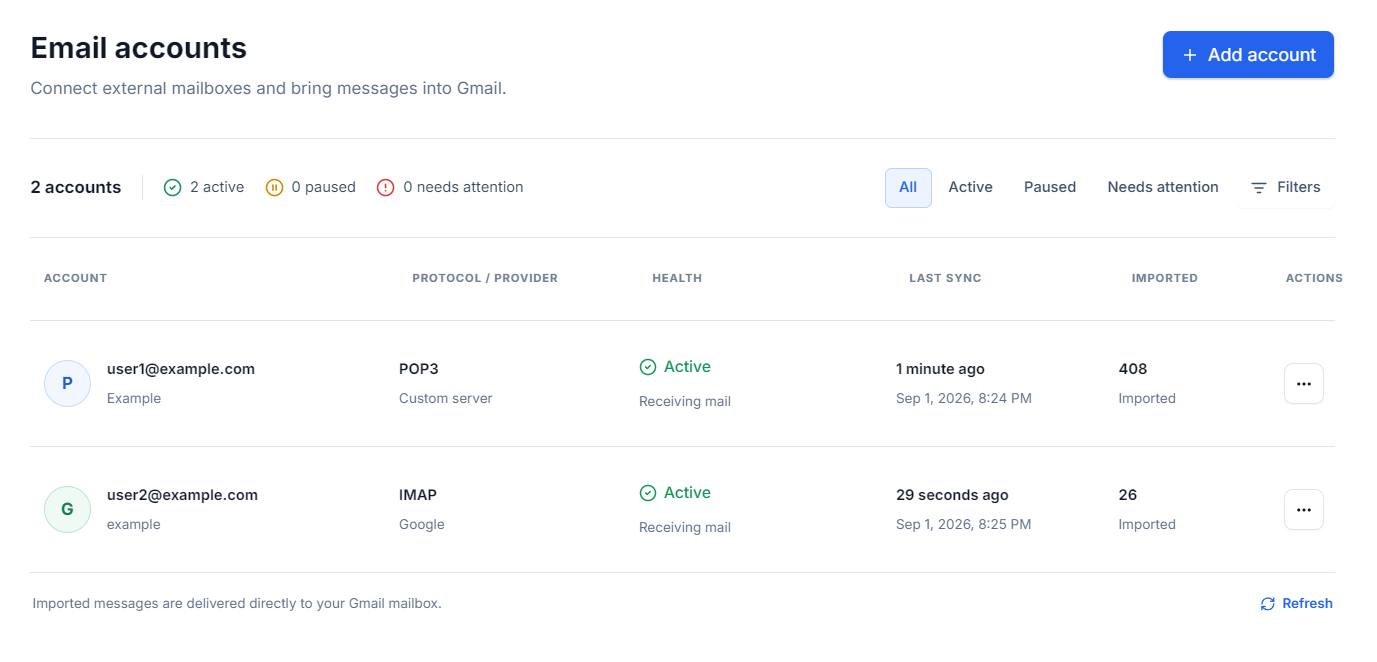
Google will fully deprecate POP mail fetching for third-party accounts in January 2027. POP3 for Gmail uses an independent bridge and delivers messages securely via the Gmail API.
Connect any mailbox with POP3 or IMAP access.
 Google
OAuth
Google
OAuth
 Microsoft
OAuth
Microsoft
OAuth
 IONOS
IONOS  Hostinger
  cPanel
  OVHcloud
  GoDaddy
  DinaHosting
  Namecheap
  Yahoo
Yahoo  Zoho Custom servers
 The providers listed are examples of technical compatibility, not affiliated entities or official partners.
Keep working in Gmail. We maintain the bridge.
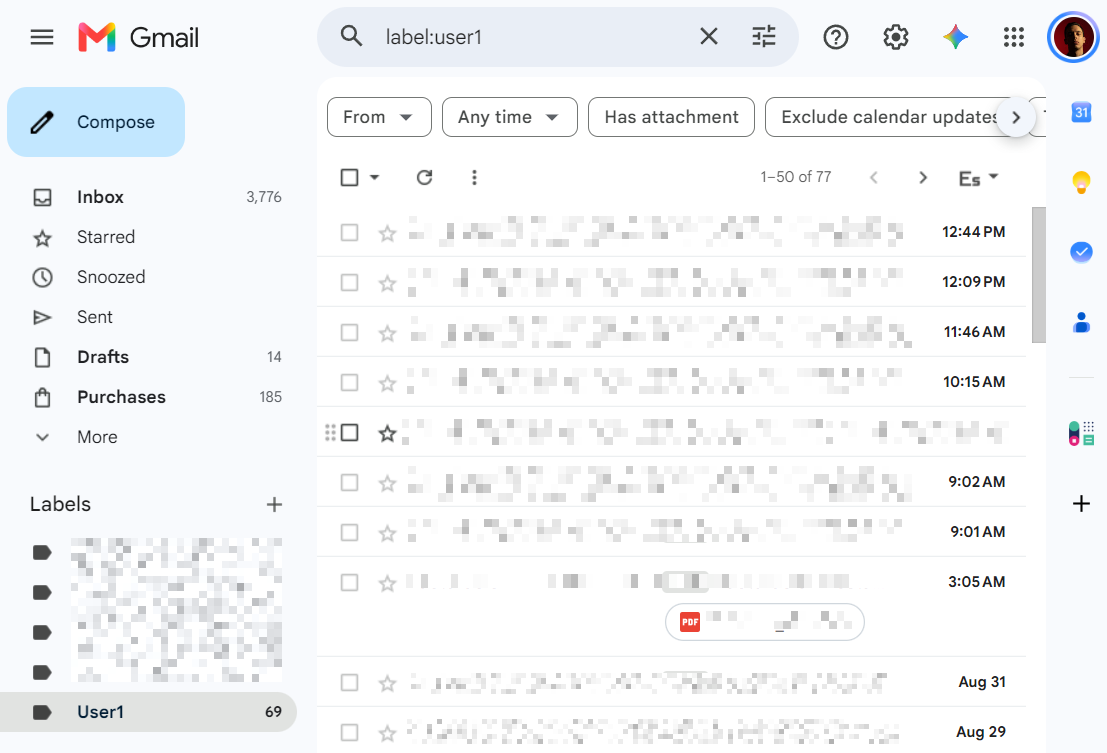
Emails from your personal, professional, or legacy accounts land directly in Gmail. Each mailbox can use its own distinct label so you always know where every message came from.
Keep your familiar Gmail inbox
Read, search, archive and organize incoming messages directly from the inbox interface you already use.
Keep your current email provider
No need to migrate mail servers, purchase Google Workspace seats, or modify DNS MX records.
Distinguish every mailbox clearly
Automatically apply custom color-coded labels to each incoming mailbox to keep everything neatly organized.
Set up once. Runs silently on its own.
POP3 for Gmail handles connections, periodic polling, and message delivery. You do not need to keep the browser tab or extension open.
Authorize your Gmail
Sign in with Google and choose the account where you want to receive your incoming emails. POP3 for Gmail never receives your Google password.
Connect origin mailbox
Enter your email address and password. The setup wizard autodetects POP3 or IMAP host settings and tests secure SSL/TLS.
Keep working in Gmail
New emails arrive in your unified inbox tagged with your custom label. The sync engine runs quietly in the cloud 24/7.
The entire setup takes under two minutes. Connect multiple mailboxes and customize each account independently.
Technical complexity, solved.
Enter your email address and our assistant will automatically query compatible POP3/IMAP settings, test server endpoints, and show you the exact secure connection parameters.
If autodiscovery is unavailable on custom mail servers, you can manually set hostnames, ports, protocols, authentication types, and encryption flags.
- Smart detection for POP3 and IMAP protocols.
- Live ping and socket verification with mail host.
- Full SSL/TLS and STARTTLS encryption support.
- OAuth flow for Google and Microsoft mailboxes.
- Advanced manual parameter tuning whenever needed.
Optional sending: the assistant can also detect and test SMTP outbound servers when you want to enable outbound sending.
You decide how each mailbox behaves.
Fine-tune synchronization behavior based on mailbox usage. The settings panel keeps all critical options accessible in one place.
Background polling executed on server
Prevents inbox flooding with historic emails
Applied automatically to incoming messages
Your emails remain intact in original hosting
You can also trigger on-demand manual syncs, pause any account at will, filter provider spam, or selectively exclude folders.
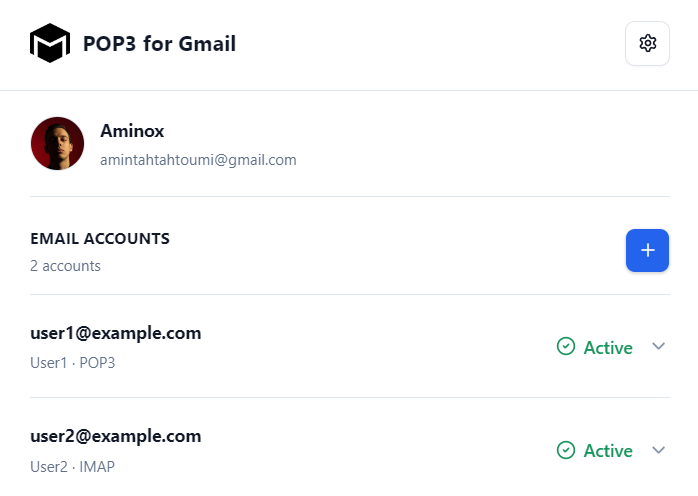
Quick control, right from your browser.
The companion extension lets you connect accounts, run instant manual syncs, pause mailboxes, update server details, and check activity logs directly from Chrome.
The extension controls the service. The server executes background sync.
Even if you close Chrome or turn off your computer, all active mailboxes continue polling automatically on schedule.
Configure "Send mail as" without tedious manual forms
When enabling sending for an address, POP3 for Gmail tests your SMTP parameters. The extension can assist by automatically completing Gmail’s native "Send mail as" setup.
Technical note: SMTP will remain operational. Google has announced that Gmail will deprecate its native "Send mail as" for third-party addresses in January 2027. This affects Gmail’s native UI feature, not SMTP itself or incoming mail bridge via POP3 for Gmail.

Limited access. Encrypted data. Total control.
POP3 for Gmail only requests the minimal permissions required to read origin mailboxes and insert messages into your destination Gmail account.
Google OAuth
You authenticate directly via Google. POP3 for Gmail receives an expiring revocable token, never your Google account password.
Encrypted Credentials
When third-party providers require standard credentials, they are encrypted at rest using AES-256-GCM authenticated encryption.
Direct delivery to Gmail
Emails are streamed and inserted into Gmail via official APIs. POP3 for Gmail never creates a permanent secondary mailbox store.
You decide when to disconnect
You can pause synchronization, revoke access, delete a mailbox or purge all account metadata at any time with one click.
Choose by number of mailboxes and sync frequency, not per message.
Choose the plan that fits your mailbox count, sync frequency, and history needs.
3 days free on your first subscription
Try any paid plan free for 3 days. It then renews monthly or yearly. One trial per Google account.
Free
Coming soonComing soon for trying POP3 for Gmail with your first mailbox.
- 1 mailbox connected
- Sync every 30 minutes
- 7 days history
- POP3 and IMAP supported
- Assisted automatic setup
- Custom Gmail label per mailbox
- On-demand manual synchronization
Plus
Bring personal and professional accounts together inside Gmail.
- Up to 5 mailboxes
- Sync every 5 minutes
- 30 days history
- Google and Microsoft OAuth
- Initial import of recent messages
- IMAP folder hierarchy mapping
- Email disconnection alerts
- Direct email support
Pro
For professionals managing multiple domain addresses or projects.
- Up to 20 mailboxes
- Sync every 1 minute
- 90 days history
- Advanced diagnostics and audit logs
- Priority delivery queuing
- Automated health watchdog
- Guaranteed priority support
Everything you need to know before connecting.
What exactly does POP3 for Gmail do?
Does it replace my current email provider?
Do I have to change domain DNS or MX records?
Do Chrome or the extension need to stay open?
Which email providers are supported?
Are email attachments imported?
How does it prevent duplicate emails?
Can I leave a copy on the original mail server?
Can I send emails from my external address?
Will receiving mail continue working after January 2027?
Keep using Gmail. Only change how your mail arrives.
Connect your first mailbox, verify your settings, and let POP3 for Gmail maintain seamless background synchronization.
No DNS modifications · Guided setup wizard · Disconnect anytime